
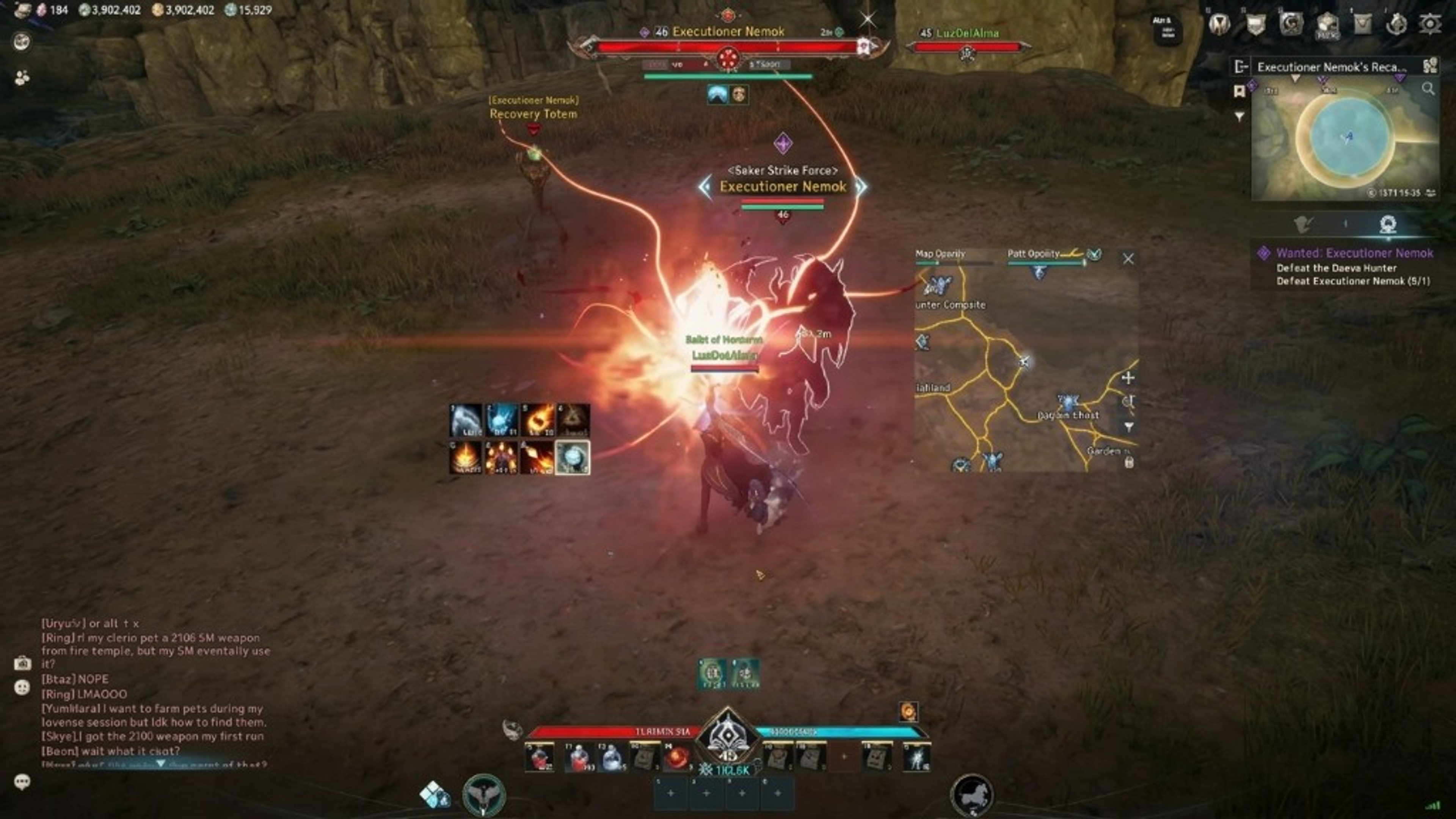
Aion 2 hacks PC setup on Windows
Windows PC setup for Aion 2 hacks: client launch order, conservative first-run ESP, and status checks.
Windows PC setup for Aion 2 hacks begins before you launch the game client. Confirm status on aion2hacks.org, verify Windows 10 or 11, and finish checkout for weekly, monthly, or lifetime access on the store. Keep the order email used at payment so support can locate your license.
Install or update the official Aion 2 client through NCSOFT channels you already use. Third-party overlays are not part of that installer. Follow vendor loader instructions from checkout rather than executables linked in chat or comment spam. The setup page summarizes site expectations; vendor portals carry authoritative steps.
Administrator rights are commonly required for loaders and updates. Note your antivirus behavior—false positives happen with game-adjacent tools. Whitelist only when you trust the vendor file delivered through checkout, not random mirrors. Document any block messages for support.
What is listed
First-run profile: enable player ESP at short range, disable skeleton if clutter appears, keep radar off until ESP is readable. Add target labels next if you farm elites or open-world bosses. Leave aimbot disabled until information modules are stable and status is green.
Key binds should include a panic hide or toggle if the listing documents one. Test binds in a low-risk zone before PvP. Save the profile so reinstalls do not force you to rediscover sliders. Cloud config features depend on the vendor—do not assume cross-PC sync unless checkout mentions it.
Launch order typically places the loader before the game client, but vendor notes override generic advice. If instructions say inject after login, follow that sequence. Deviating causes false “not working” reports that waste support time.
Plans and compatibility
After NCSOFT maintenance, repeat status checks even if your config unchanged. Aion 2 updates explains where official notes appear and why you should pause overlays until compatibility is confirmed.
Hardware should meet published Aion 2 requirements with headroom for overlays. Read PC requirements for CPU, GPU, and RAM guidance. Laptops on power-saving modes may stutter when ESP and radar run together—plug in and use high-performance power plans when testing.
Related extras Cloud DMA and HWID Spoofer have separate setup flows. Install and test the main Aion 2 Hacks bundle first, then add extras if you still need them. Each product has its own checkout and notes.
First-run notes
Discord support requests should list Windows version, client region if relevant, modules enabled, and exact error strings. Screenshots help when they show both the loader message and the game window. Start with FAQ entries on platforms and after-buy flow.
This guide does not endorse bypassing NCSOFT security. You assume account risk when running third-party software. Anti-cheat context lives in compatibility notes; it is not a guarantee of safety.
When setup succeeds, link your reading to gameplay guides: classes, builds, and leveling for legitimate progression while you evaluate overlays in real zones.
When setup succeeds, link your reading to gameplay guides: classes, builds, and leveling for legitimate progression while you evaluate overlays in real zones.
This guide does not endorse bypassing NCSOFT security. You assume account risk when running third-party software. Anti-cheat context lives in compatibility notes; it is not a guarantee of safety.
Discord support requests should list Windows version, client region if relevant, modules enabled, and exact error strings. Screenshots help when they show both the loader message and the game window. Start with FAQ entries on platforms and after-buy flow.
Related extras Cloud DMA and HWID Spoofer have separate setup flows. Install and test the main Aion 2 Hacks bundle first, then add extras if you still need them. Each product has its own checkout and notes.
Hardware should meet published Aion 2 requirements with headroom for overlays. Read PC requirements for CPU, GPU, and RAM guidance. Laptops on power-saving modes may stutter when ESP and radar run together—plug in and use high-performance power plans when testing.
After NCSOFT maintenance, repeat status checks even if your config unchanged. Aion 2 updates explains where official notes appear and why you should pause overlays until compatibility is confirmed.
Launch order typically places the loader before the game client, but vendor notes override generic advice. If instructions say inject after login, follow that sequence. Deviating causes false “not working” reports that waste support time.
Key binds should include a panic hide or toggle if the listing documents one. Test binds in a low-risk zone before PvP. Save the profile so reinstalls do not force you to rediscover sliders. Cloud config features depend on the vendor—do not assume cross-PC sync unless checkout mentions it.
First-run profile: enable player ESP at short range, disable skeleton if clutter appears, keep radar off until ESP is readable. Add target labels next if you farm elites or open-world bosses. Leave aimbot disabled until information modules are stable and status is green.
Administrator rights are commonly required for loaders and updates. Note your antivirus behavior—false positives happen with game-adjacent tools. Whitelist only when you trust the vendor file delivered through checkout, not random mirrors. Document any block messages for support.
Install or update the official Aion 2 client through NCSOFT channels you already use. Third-party overlays are not part of that installer. Follow vendor loader instructions from checkout rather than executables linked in chat or comment spam. The setup page summarizes site expectations; vendor portals carry authoritative steps.
Windows PC setup for Aion 2 hacks begins before you launch the game client. Confirm status on aion2hacks.org, verify Windows 10 or 11, and finish checkout for weekly, monthly, or lifetime access on the store. Keep the order email used at payment so support can locate your license.
When setup succeeds, link your reading to gameplay guides: classes, builds, and leveling for legitimate progression while you evaluate overlays in real zones.
This guide does not endorse bypassing NCSOFT security. You assume account risk when running third-party software. Anti-cheat context lives in compatibility notes; it is not a guarantee of safety.