
Aion 2 radar: 2D and 3D local awareness
How 2D radar and 3D radar complement ESP when you need nearby player or mob cues in open zones.
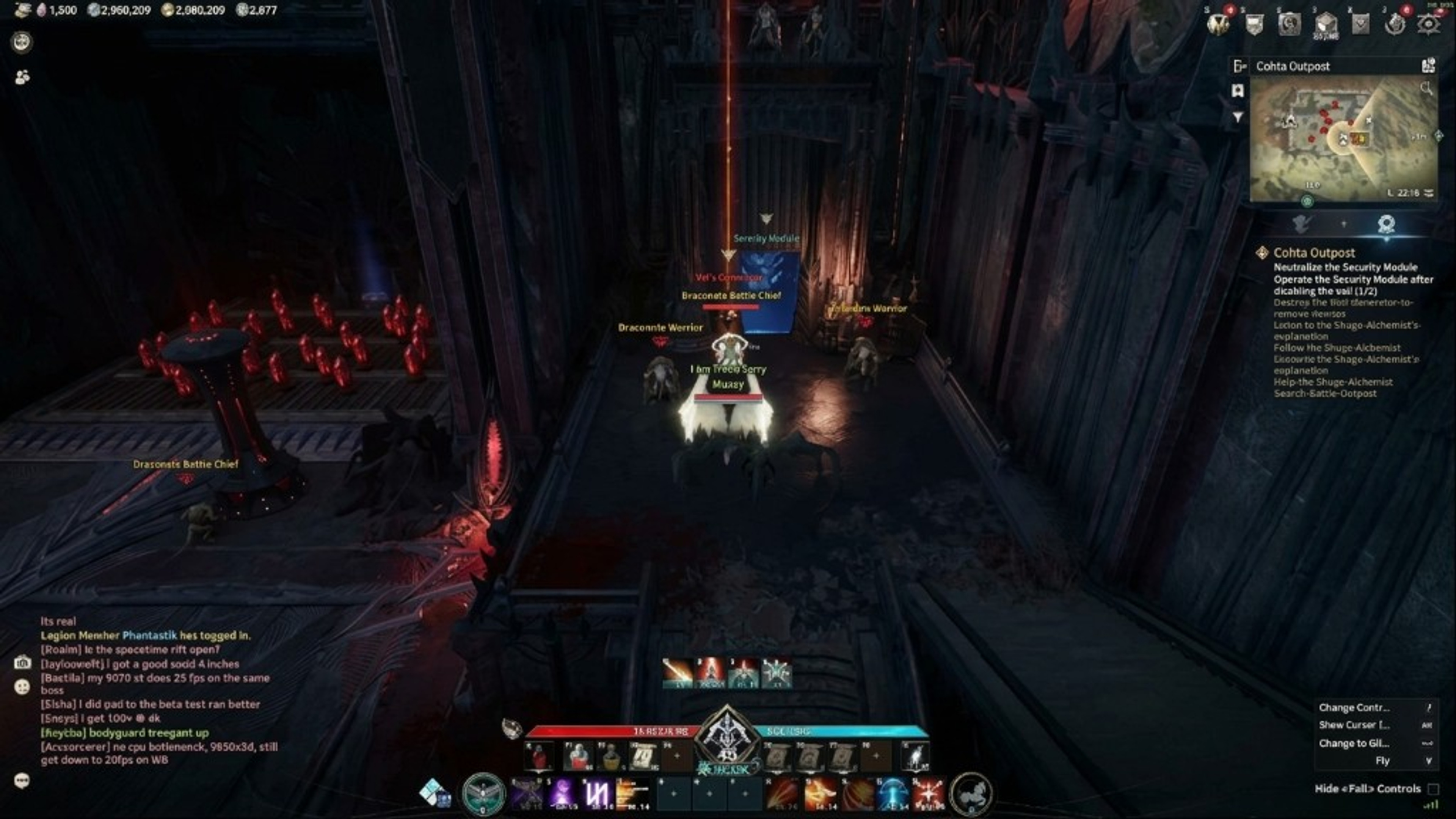
Radar in Aion 2 Hacks refers to local awareness overlays—often 2D radar and sometimes 3D radar when the vendor lists both. Radar complements player ESP by showing nearby characters or mobs on a compact widget instead of drawing boxes across the whole screen.
Open-world zones in Aion 2 vary in elevation and density. Radar helps when cliffs, structures, or foliage break line of sight. It does not replace map knowledge from quests or the official minimap; it adds a second channel you can tune for range and filter settings when those options exist on the listing.
2D radar typically renders dots around your position on a flat plane. 3D radar, when listed, adds height separation for multi-level areas such as layered ruins or PvP arenas with vertical paths. Start with 2D only until you confirm readability, then experiment with 3D if your HUD still has free space.
What is listed
Range sliders matter. Maximum range looks impressive in screenshots but creates clutter in busy hunting grounds. Set a range that matches your class role: melee players may want shorter radar range; ranged players may extend slightly for pull planning. Pair adjustments with target ESP labels so dots map to meaningful names.
Faction or team coloring on radar follows the same logic as enemy-only ESP. Allies should not flood the widget during faction events. Configure filters on the features page before you enter high-traffic zones, then save a profile through vendor tools described on setup.
Radar does not show loot tables, quest steps, or dungeon mechanics by itself. Item and map modules are separate when listed. For farming routes, read leveling guide for legitimate progression pacing and use loot cues only if they appear on the store listing.
Plans and compatibility
Performance tips mirror ESP: lower refresh or range if frame times spike. Test in a quiet zone, then in a busier area. Hardware that barely meets Aion 2 requirements may need conservative settings across both ESP and radar.
Compatibility is point-in-time. After patches listed in Aion 2 updates, re-check status before enabling radar in PvP. The anti-cheat context article explains why maintenance days should pause third-party tools by default.
Checkout paths for weekly, monthly, and lifetime plans live on the store. Radar is included in the same module bundle as ESP when the listing says so—verify text rather than assuming from old forum posts. Plan comparison clarifies duration without changing features.
First-run notes
Windows PC requirements for radar match the main product: Windows 10 or 11 and the official client. Read PC requirements if you are building a new machine or reinstalling after a Windows upgrade.
Support tickets about radar should mention whether 2D, 3D, or both fail to render, plus screenshots with the widget visible. Include order email and OS build. Cross-link FAQ entries on ESP and radar before opening Discord.
Related reading: player ESP, Aion 2 hacks overview, classes for range conventions, and aimbot if you later add optional combat modules. Radar works best as a controlled local map—not as a replacement for group communication.
Related reading: player ESP, Aion 2 hacks overview, classes for range conventions, and aimbot if you later add optional combat modules. Radar works best as a controlled local map—not as a replacement for group communication.
Support tickets about radar should mention whether 2D, 3D, or both fail to render, plus screenshots with the widget visible. Include order email and OS build. Cross-link FAQ entries on ESP and radar before opening Discord.
Windows PC requirements for radar match the main product: Windows 10 or 11 and the official client. Read PC requirements if you are building a new machine or reinstalling after a Windows upgrade.
Checkout paths for weekly, monthly, and lifetime plans live on the store. Radar is included in the same module bundle as ESP when the listing says so—verify text rather than assuming from old forum posts. Plan comparison clarifies duration without changing features.
Compatibility is point-in-time. After patches listed in Aion 2 updates, re-check status before enabling radar in PvP. The anti-cheat context article explains why maintenance days should pause third-party tools by default.
Performance tips mirror ESP: lower refresh or range if frame times spike. Test in a quiet zone, then in a busier area. Hardware that barely meets Aion 2 requirements may need conservative settings across both ESP and radar.
Radar does not show loot tables, quest steps, or dungeon mechanics by itself. Item and map modules are separate when listed. For farming routes, read leveling guide for legitimate progression pacing and use loot cues only if they appear on the store listing.
Faction or team coloring on radar follows the same logic as enemy-only ESP. Allies should not flood the widget during faction events. Configure filters on the features page before you enter high-traffic zones, then save a profile through vendor tools described on setup.
Range sliders matter. Maximum range looks impressive in screenshots but creates clutter in busy hunting grounds. Set a range that matches your class role: melee players may want shorter radar range; ranged players may extend slightly for pull planning. Pair adjustments with target ESP labels so dots map to meaningful names.
2D radar typically renders dots around your position on a flat plane. 3D radar, when listed, adds height separation for multi-level areas such as layered ruins or PvP arenas with vertical paths. Start with 2D only until you confirm readability, then experiment with 3D if your HUD still has free space.
Open-world zones in Aion 2 vary in elevation and density. Radar helps when cliffs, structures, or foliage break line of sight. It does not replace map knowledge from quests or the official minimap; it adds a second channel you can tune for range and filter settings when those options exist on the listing.