
Aion 2 PC requirements and client prep
Hardware expectations, Windows versions, and client prep before you install third-party tools on the same PC.
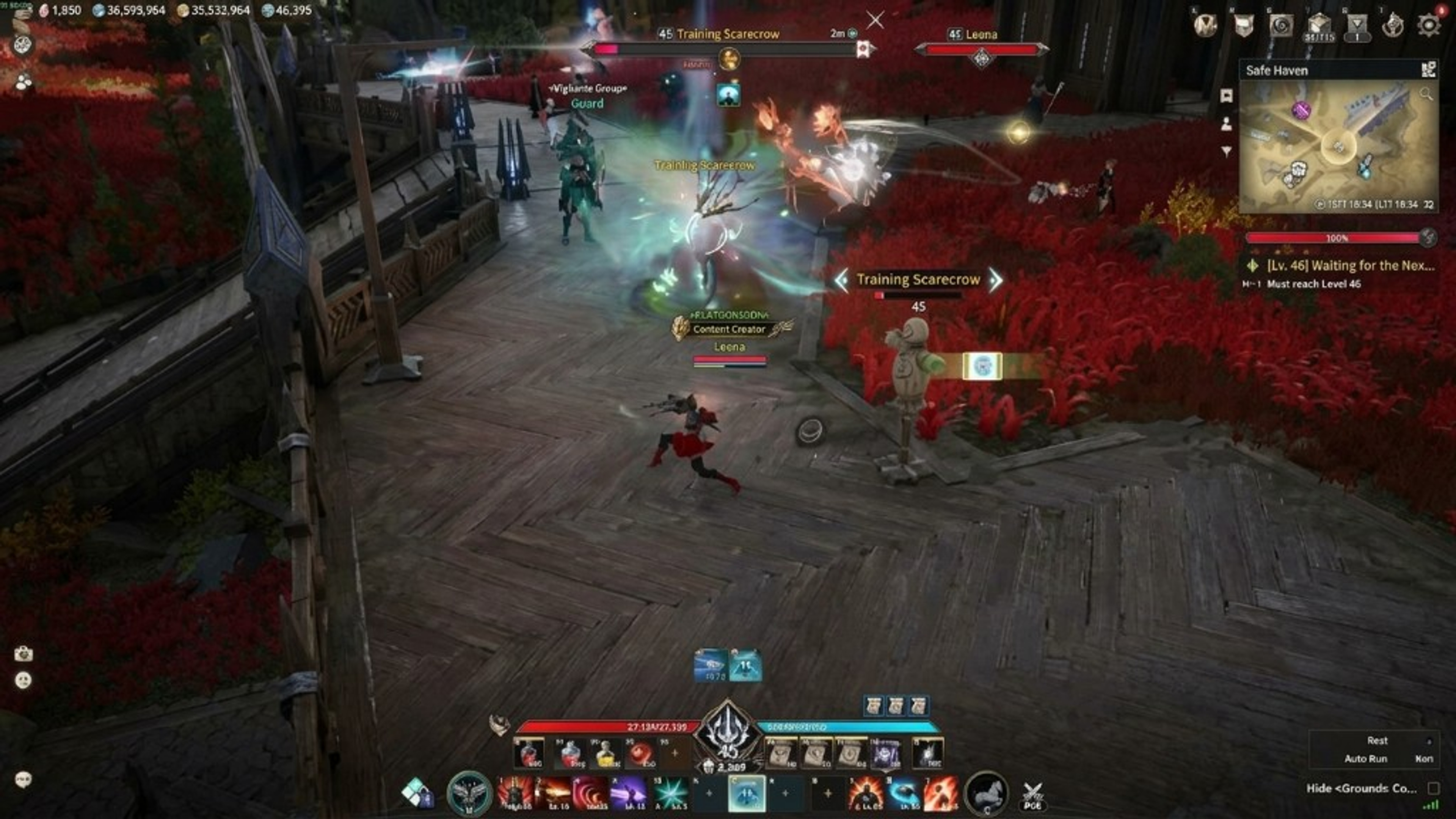
Aion 2 PC requirements combine NCSOFT minimum specifications with practical headroom for Windows background tasks and optional overlays from Aion 2 Hacks. This guide covers hardware, OS, and client prep before checkout—not maximum graphics bragging rights.
Windows 10 or 11 64-bit is the supported platform on aion2hacks.org. macOS, Linux, and consoles are not listed for the hack bundle even if other tools exist elsewhere. Match OS language and region to the client you install to avoid mismatched launcher paths.
CPU and GPU should exceed minimum specs if you run ESP and radar simultaneously. Integrated graphics may run the MMORPG on low settings but struggle when overlays draw extra geometry. Discrete GPUs with updated drivers reduce stutter.
What is listed
RAM matters for client plus browser maps open while you quest. Sixteen gigabytes is a comfortable baseline for multitasking; eight may work on minimum settings with few background apps.
Storage: SSD improves zone loading and patch application. Mechanical drives work but lengthen login and teleport waits—factor that into session time when evaluating weekly ($15) trials on plans.
Network stability affects MMO play regardless of overlays. Wi-Fi drops cause disconnects that support may blame on unrelated modules. Prefer wired connections when testing new loader builds after Aion 2 updates.
Plans and compatibility
Administrator access is commonly required for installers. Corporate or school PCs are poor candidates. Use personal hardware you control before buying lifetime ($150) access.
Security software may quarantine loaders. Whitelist using vendor hashes from checkout instructions—not random reuploads. Document detections for Discord support with screenshots.
Display scale and resolution change ESP readability. Test 1080p before 4K UI scaling; tiny text fails even when modules work technically. Revisit player ESP guide for clutter tips.
First-run notes
Official client updates patch frequently—keep launcher auto-update enabled. Pair updates with status checks before overlays. Anti-cheat context explains enforcement risk that hardware cannot eliminate.
Extras such as Cloud DMA may impose additional hardware rules. Read those pages separately; DMA is not required for base ESP listed on features.
When your PC meets requirements, continue to setup and PC setup article for launch order. Purchase paths remain on store for weekly, monthly, and lifetime keys.
When your PC meets requirements, continue to setup and PC setup article for launch order. Purchase paths remain on store for weekly, monthly, and lifetime keys.
Extras such as Cloud DMA may impose additional hardware rules. Read those pages separately; DMA is not required for base ESP listed on features.
Official client updates patch frequently—keep launcher auto-update enabled. Pair updates with status checks before overlays. Anti-cheat context explains enforcement risk that hardware cannot eliminate.
Display scale and resolution change ESP readability. Test 1080p before 4K UI scaling; tiny text fails even when modules work technically. Revisit player ESP guide for clutter tips.
Security software may quarantine loaders. Whitelist using vendor hashes from checkout instructions—not random reuploads. Document detections for Discord support with screenshots.
Administrator access is commonly required for installers. Corporate or school PCs are poor candidates. Use personal hardware you control before buying lifetime ($150) access.
Network stability affects MMO play regardless of overlays. Wi-Fi drops cause disconnects that support may blame on unrelated modules. Prefer wired connections when testing new loader builds after Aion 2 updates.
Storage: SSD improves zone loading and patch application. Mechanical drives work but lengthen login and teleport waits—factor that into session time when evaluating weekly ($15) trials on plans.
RAM matters for client plus browser maps open while you quest. Sixteen gigabytes is a comfortable baseline for multitasking; eight may work on minimum settings with few background apps.
CPU and GPU should exceed minimum specs if you run ESP and radar simultaneously. Integrated graphics may run the MMORPG on low settings but struggle when overlays draw extra geometry. Discrete GPUs with updated drivers reduce stutter.
Windows 10 or 11 64-bit is the supported platform on aion2hacks.org. macOS, Linux, and consoles are not listed for the hack bundle even if other tools exist elsewhere. Match OS language and region to the client you install to avoid mismatched launcher paths.
Aion 2 PC requirements combine NCSOFT minimum specifications with practical headroom for Windows background tasks and optional overlays from Aion 2 Hacks. This guide covers hardware, OS, and client prep before checkout—not maximum graphics bragging rights.
When your PC meets requirements, continue to setup and PC setup article for launch order. Purchase paths remain on store for weekly, monthly, and lifetime keys.
Extras such as Cloud DMA may impose additional hardware rules. Read those pages separately; DMA is not required for base ESP listed on features.
Official client updates patch frequently—keep launcher auto-update enabled. Pair updates with status checks before overlays. Anti-cheat context explains enforcement risk that hardware cannot eliminate.
Display scale and resolution change ESP readability. Test 1080p before 4K UI scaling; tiny text fails even when modules work technically. Revisit player ESP guide for clutter tips.
Security software may quarantine loaders. Whitelist using vendor hashes from checkout instructions—not random reuploads. Document detections for Discord support with screenshots.
Administrator access is commonly required for installers. Corporate or school PCs are poor candidates. Use personal hardware you control before buying lifetime ($150) access.
Network stability affects MMO play regardless of overlays. Wi-Fi drops cause disconnects that support may blame on unrelated modules. Prefer wired connections when testing new loader builds after Aion 2 updates.
Storage: SSD improves zone loading and patch application. Mechanical drives work but lengthen login and teleport waits—factor that into session time when evaluating weekly ($15) trials on plans.
RAM matters for client plus browser maps open while you quest. Sixteen gigabytes is a comfortable baseline for multitasking; eight may work on minimum settings with few background apps.
CPU and GPU should exceed minimum specs if you run ESP and radar simultaneously. Integrated graphics may run the MMORPG on low settings but struggle when overlays draw extra geometry. Discrete GPUs with updated drivers reduce stutter.