
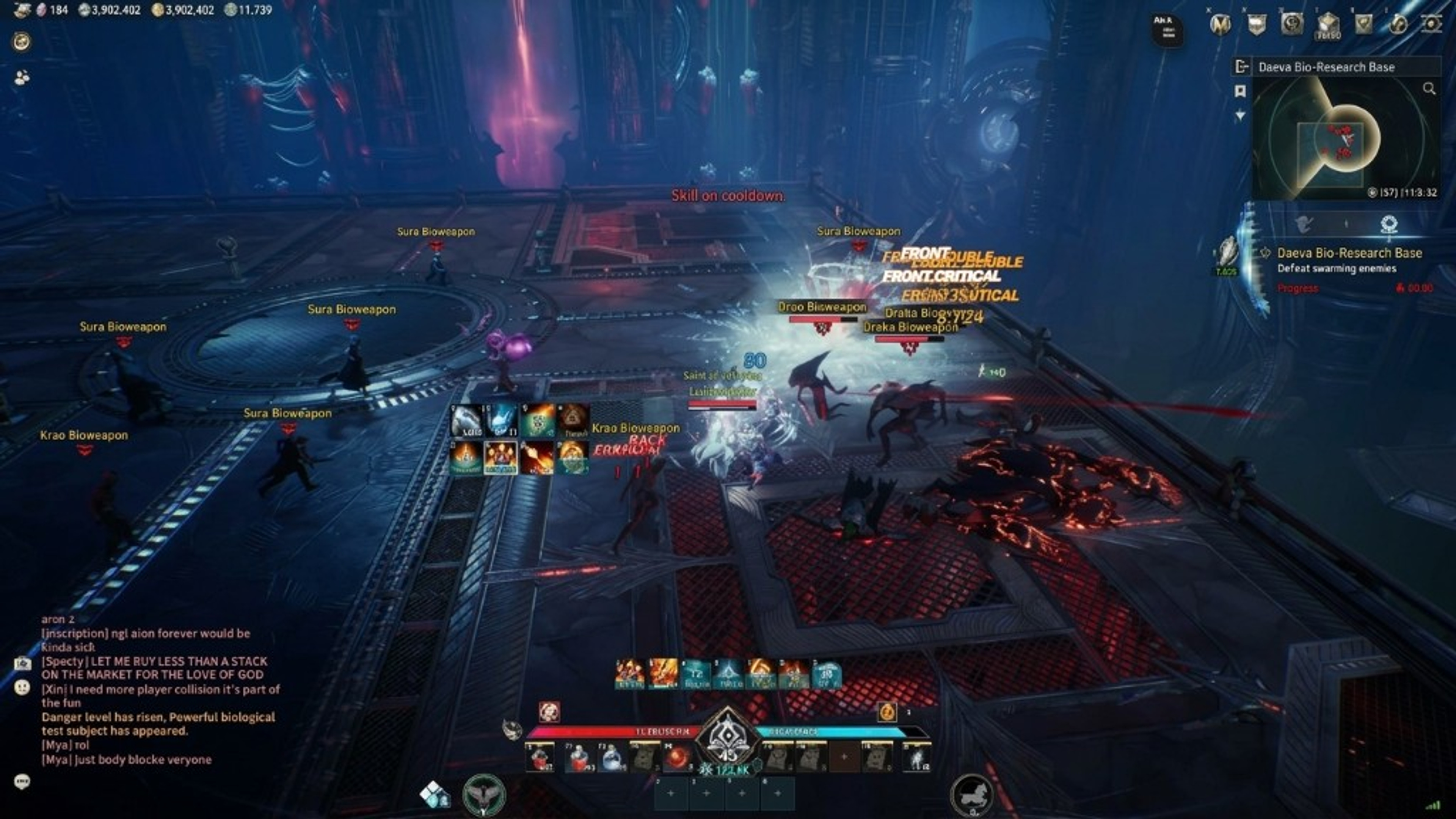
Aion 2 player ESP and character overlays
How player ESP, box ESP, health ESP, and name ESP present nearby characters in Aion 2 on PC.
Player ESP in Aion 2 is an information overlay for other characters in your zone. It is not a substitute for class knowledge, gear score, or group coordination. When people search Aion 2 ESP, they usually mean box outlines, health bars, names, or distance labels layered on top of the official client on Windows PC.
The features page and store describe which ESP toggles the vendor lists today. Those lists can change after patches, which is why the status page exists. This article explains how to think about player ESP without treating screenshots from random forums as proof of current builds.
Box ESP draws a rectangle around a character model so you can track movement in crowded areas. Skeleton ESP adds bone lines when listed, which some players find helpful on uneven terrain. Both can feel noisy if you enable them at maximum range—start with a shorter distance filter and expand only if you can still read the HUD.
What is listed
Health ESP and name ESP reduce guesswork in PvE pulls and open-world PvP. Knowing a name at a glance helps you identify guild tags or repeat gankers when nameplates overlap. Health cues help you decide whether to commit to a fight or disengage, but they do not replace healing or defensive cooldowns from your class kit.
Distance ESP sorts threats by range. That is useful when you rotate between quest mobs and roaming players in the same zone. Pair distance labels with radar if you want a second channel that does not cover the center of the screen. Many players disable distance text first when clutter appears.
Faction filter and enemy-only options keep allies off the overlay when the listing includes them. In shared hubs or faction warfare, friendly markers can obscure the players you actually need to watch. Configure filters before you enter a high-traffic area rather than toggling mid-fight.
Plans and compatibility
Player ESP does not automatically loot, quest, or path for you. Map markers and item cues are separate modules when they appear at all. Read Aion 2 hacks overview if you need a map of how modules group together on aion2hacks.org.
Setup order matters on Windows PC. Confirm status, finish checkout, then follow vendor notes on setup and the longer PC guide. Launch the official client only after you understand which key toggles the overlay and which key acts as panic hide if the listing provides one.
Performance is a practical concern. Dense ESP at long range can cost frames on older hardware that already runs Aion 2 near its limit. Lower overlay range, disable skeleton lines, or test in a quiet zone before you join a large PvP event. The FAQ covers common readability questions without promising frame rates.
First-run notes
NCSOFT terms of use restrict third-party software. You use overlays at your own risk, including possible account action. This site does not claim undetected status or affiliation with the publisher. After maintenance, re-read anti-cheat context and status before you enable ESP in a live zone.
When you evaluate ESP, compare what you see in preview screenshots to the written features list. If a toggle is not listed, do not assume it exists because a video showed it last year. Checkout on the store reflects the current commercial listing for weekly, monthly, and lifetime access.
Related guides: radar for local awareness, aimbot for optional combat toggles, classes for role context, and plans when you are ready to pick a duration. Player ESP works best as part of a readable stack—not as every visual option turned on at once.
Related guides: radar for local awareness, aimbot for optional combat toggles, classes for role context, and plans when you are ready to pick a duration. Player ESP works best as part of a readable stack—not as every visual option turned on at once.
When you evaluate ESP, compare what you see in preview screenshots to the written features list. If a toggle is not listed, do not assume it exists because a video showed it last year. Checkout on the store reflects the current commercial listing for weekly, monthly, and lifetime access.
NCSOFT terms of use restrict third-party software. You use overlays at your own risk, including possible account action. This site does not claim undetected status or affiliation with the publisher. After maintenance, re-read anti-cheat context and status before you enable ESP in a live zone.
Performance is a practical concern. Dense ESP at long range can cost frames on older hardware that already runs Aion 2 near its limit. Lower overlay range, disable skeleton lines, or test in a quiet zone before you join a large PvP event. The FAQ covers common readability questions without promising frame rates.
Setup order matters on Windows PC. Confirm status, finish checkout, then follow vendor notes on setup and the longer PC guide. Launch the official client only after you understand which key toggles the overlay and which key acts as panic hide if the listing provides one.
Player ESP does not automatically loot, quest, or path for you. Map markers and item cues are separate modules when they appear at all. Read Aion 2 hacks overview if you need a map of how modules group together on aion2hacks.org.
Faction filter and enemy-only options keep allies off the overlay when the listing includes them. In shared hubs or faction warfare, friendly markers can obscure the players you actually need to watch. Configure filters before you enter a high-traffic area rather than toggling mid-fight.
Distance ESP sorts threats by range. That is useful when you rotate between quest mobs and roaming players in the same zone. Pair distance labels with radar if you want a second channel that does not cover the center of the screen. Many players disable distance text first when clutter appears.